Background and padding
Drop the take on a wallpaper or gradient, then set padding so the UI sits in a polished frame.
DoDemo
Record once. Get automatic zooms, smooth cursor movement and professional-looking videos — without hours of editing.
Free exports include a DoDemo watermark. Pro removes it.
01Record
Pick a source, choose camera and audio, then start. The HUD stays light — and can disappear from the recording entirely.
Capture a whole screen, a single app window, or a region you drag out — switch modes from the same bar.
Turn each input on independently. Pick the camera and microphone you want before you roll.
Countdown before it starts, and the recorder HUD can hide itself so it never appears in the take.
No browser tab, no upload step. Recordings stay on your Mac or Windows machine until you export.
02Auto zoom
DoDemo tracks cursor movement and clicks, then builds zooms that keep the important UI in frame — so viewers always see the action.
DoDemo watches your cursor and clicks, then builds zoom regions that keep the important UI in frame.
When the pointer drifts toward the edge, the camera recenters so the action never leaves the shot.
Accept the auto zooms, retime them on the timeline, or place your own presets from 1.25× to 5×.
Flip to manual mode any time and draw zooms by hand — auto is a starting point, not a lock-in.
03Motion
Cursor paths and camera moves are cleaned up automatically. You record normally — DoDemo makes the take feel directed.
Raw mouse tracks get cleaned up so the pointer glides instead of jittering across the frame.
Zooms and pans ease in and out so cuts between focus areas feel intentional, not abrupt.
Clicks read clearly without a distracting trail — enough feedback for demos, nothing that fights the UI.
Dial motion intensity up or down per project so tutorials and product demos can feel different.
04Style
Backgrounds, captions, webcam layout, and zoom controls live next to the timeline. Stop recording and you are already editing.
Drop the take on a wallpaper or gradient, then set padding so the UI sits in a polished frame.
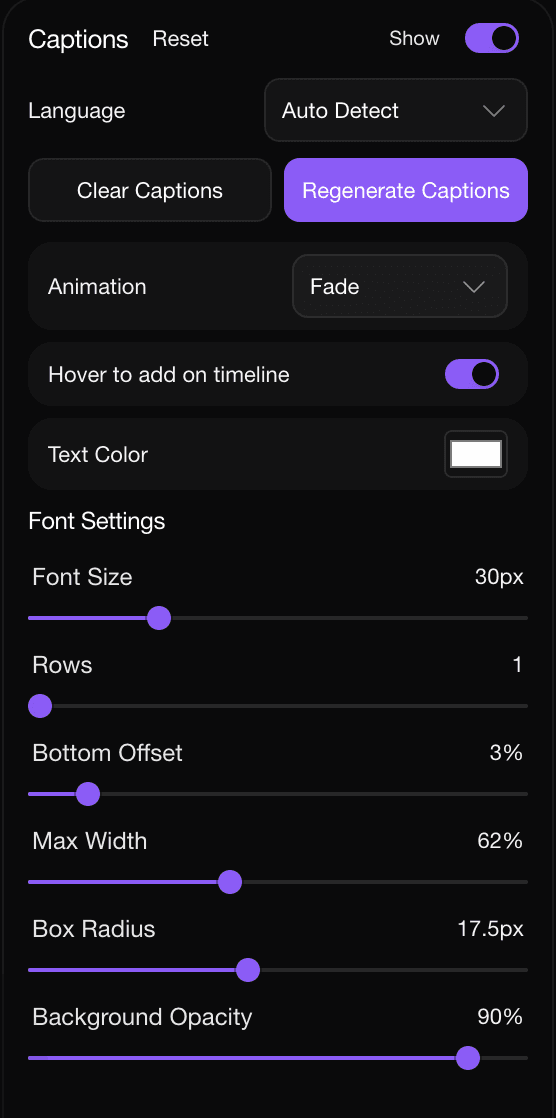
Generate captions in the editor, then tune font, rows, width, and the caption box.
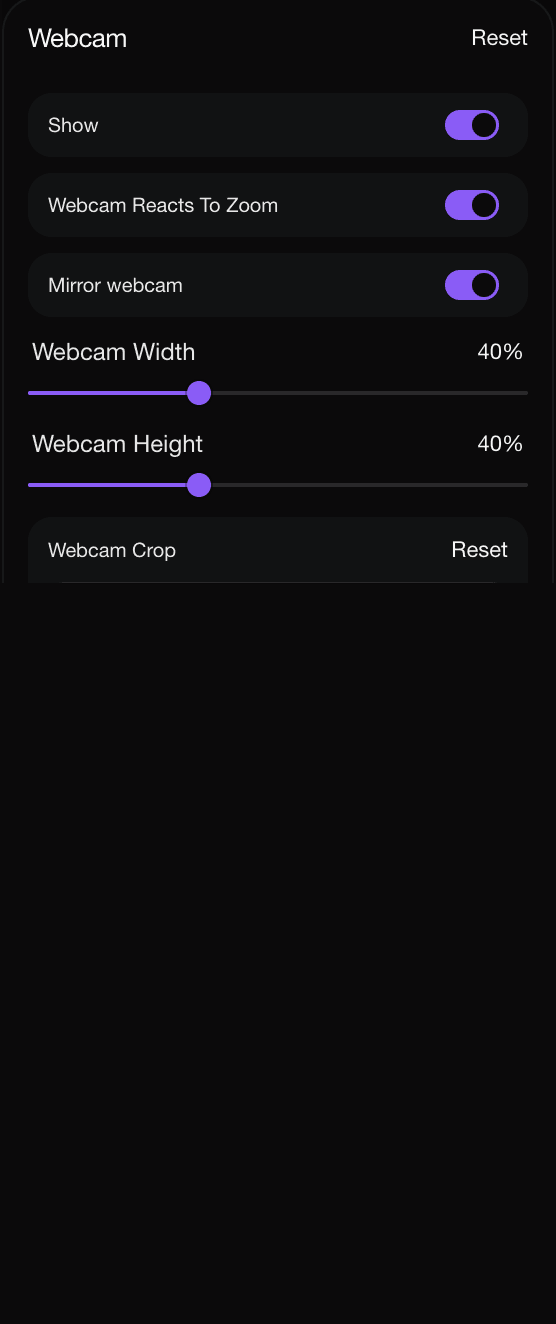
Mirror, crop, size, and park the camera bubble wherever the story needs it.
Switch auto and manual, pick presets, and shape the camera path next to the timeline.
05Camera & audio
Talk over the screen without juggling apps. Your face, voice, and system audio land in the same recording — ready to polish.
Layer your face over the recording so demos and walkthroughs feel personal without a second tool.
Pick the webcam and microphone you want. Mirror, crop, and size the bubble to fit the frame.
Capture app sound alongside your voice so product demos keep the clicks, alerts, and narration.
The webcam layout stays readable when the canvas zooms — drop it in any corner and keep talking.
Mac and Windows
Native apps for macOS and Windows — not a browser tab. Capture windows, displays, and regions the same way on either desktop.
macOS
.dmgApple Silicon and Intel
Install once and launch from the dock or Start menu — no browser tab, no web recorder.
Display, window, and area recording work the same on both platforms, with the same HUD.
Recordings live on your machine until you export. Nothing uploads unless you choose to share.
Pricing
The free plan exports with a DoDemo watermark. Lifetime, monthly, and yearly Pro export without one.
$199$49
Pay once · 14-day money-back guarantee
Keep DoDemo Pro forever, including future Pro updates. Exports have no watermark.
$12$9
Cancel anytime
Month-to-month Pro. Cancel whenever you want. Exports have no watermark.
$80$36
$3/month, billed yearly · Save $72 vs monthly
Same Pro features on a longer billing cycle. Exports have no watermark.
Every plan includes
FAQ
The free plan is the full desktop recorder and editor. Sign in with your email to record, edit, and export MP4 and GIF. Free exports include a DoDemo watermark.
Buy DoDemo Pro — lifetime, monthly, or yearly. Pro exports have no watermark. If a subscription ends, exports go back to the watermark.
DoDemo Pro is the same recorder and editor without the export watermark. Lifetime, monthly, and yearly are billing options for that access.
Lifetime means lifetime access to DoDemo Pro for the original purchaser, including future Pro updates and watermark-free exports. One person, one account. No recurring subscription.
Yes. Monthly and yearly plans are managed in Stripe’s customer portal from your account. You keep watermark-free exports until the end of the paid period.
Yes. Native desktop apps for macOS and Windows. Sign in with your email to use the free plan. Pro removes the watermark when you buy a plan.
No. DoDemo records and edits locally on your computer. You choose where the files go and what you share.
Export MP4 or GIF from the editor, with the zooms, background, captions, and webcam layout you set up. Free exports include a DoDemo watermark. Pro exports do not.
Start on the free plan with a watermark, or buy Pro to export without one.